Moving from Excel to an Integrated Business System: Signs, Options, and Safe Steps
In this article
- Summary
- Why spreadsheets last so long
- Signs spreadsheets have become a bottleneck
- What actually changes when you use a system
- Choosing the kind of replacement system
- Moving over step by step
- Cleaning and migrating data
- Bringing the team along
- Spreadsheets still have a place
- Common mistakes
- Frequently asked questions
- Conclusion
Almost every business grows up with spreadsheets. Excel or Google Sheets is used to record stock, sales, receivables, staff schedules, and monthly reports. Spreadsheets are flexible, cheap, and everyone can use them. In the early stage, they are a sensible choice.
The problems arrive slowly. Files multiply, versions drift apart, formulas break without anyone noticing, and the monthly report takes days because data has to be combined from many sheets. This article covers the signs that spreadsheets have become a bottleneck, the options for replacing them, and how to move over gradually without disrupting operations.
Summary
- Spreadsheets are excellent for analysis and planning, but weak as a shared system of record for transactions
- The main signs it is time to move: duplicated data, conflicting versions, formula errors, slow reports, and uncontrolled access
- Replacement options include off the shelf software, an ERP, a low code platform, or a custom system, depending on how unique your processes are
- Moving is safest when done gradually: one core process first, with data cleaned before it is migrated
- Spreadsheets do not have to disappear entirely; they remain useful for analysis on top of data from the system
Why spreadsheets last so long
Spreadsheets last because they solve problems quickly. When a new need appears, someone adds a column or a sheet, and work carries on. There is no need to wait for a vendor or a budget. That flexibility is the spreadsheet's greatest strength, and also the source of its problems as the business grows.
At some point the spreadsheet is no longer a helper tool but the company's main database. Yet spreadsheets were not designed for that. By default they lack strict validation rules, do not cleanly record who changed what, and cannot keep data consistent when many people edit related information.

Signs spreadsheets have become a bottleneck
There is no exact number that says when a business must stop relying on spreadsheets. It is more useful to recognise the symptoms. If several of the following sound familiar, it is time to consider a system.
- There are several versions of the same file and it is unclear which is the latest
- The same data is retyped in several files, for example sales in the sales file and again in the finance file
- The monthly report takes days because many sheets have to be combined and reconciled
- A major mistake has happened because a formula shifted, a row was deleted, or a cell was overwritten
- Only one or two people truly understand the key files, and the business depends on them
- You cannot control who may see or change certain data, such as cost prices or salaries
- Stock in the file differs from physical stock, and nobody knows when the gap appeared
- Customer data is scattered across staff members' personal files and phones
These symptoms carry real costs that are rarely counted: hours spent retyping and reconciling data, late decisions because reports are not ready, and losses from mistakes found too late. The article on the hidden cost of data silos goes deeper into this.
What actually changes when you use a system
A business system, whether an ERP, a POS, a CRM, or a custom application, stores data in a database with structure and rules. The difference shows in several ways.
A single source of data
A transaction is recorded once and used by every department. A sale entered by the sales team immediately reduces stock and becomes a receivable in finance. Nobody has to ask which number is right any more.
Validation and rules
The system can reject wrong input, such as an unregistered item code, a future date, or a sale that exceeds stock. Approval rules, for example discounts above a certain limit needing a manager's approval, can be applied consistently.
Permissions and change history
Each user only sees and changes data according to their role. Every change is recorded: who, when, and what was changed. This matters for internal control and when auditors ask questions.
Reports that are always up to date
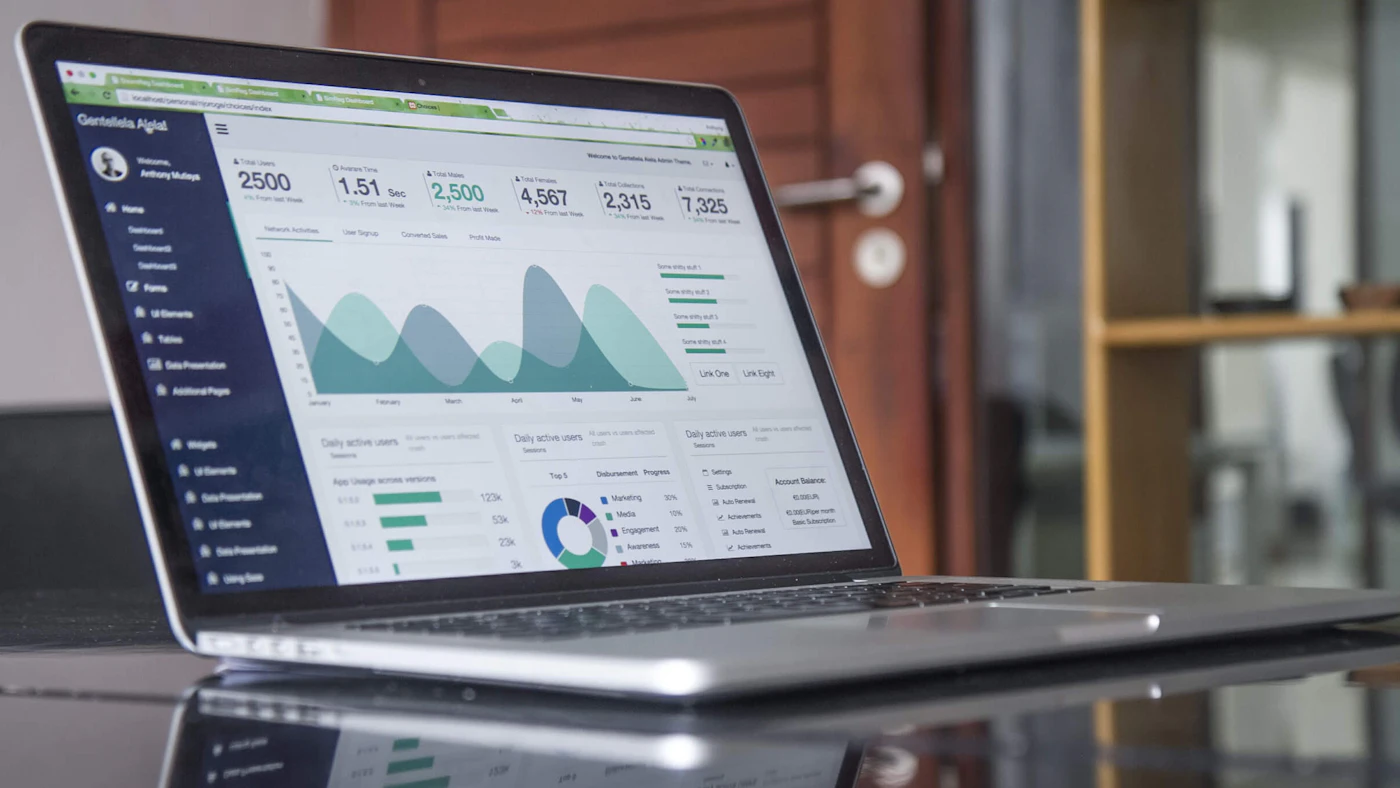
Reports come straight from transaction data, so they can be viewed at any time without waiting for a consolidation exercise. With a business dashboard, owners can monitor sales, stock, and cash flow every day.
Choosing the kind of replacement system
The right choice depends on how standard your business processes are and how much needs to be tailored.
- Off the shelf software or SaaS suits processes that resemble common industry practice, such as standard accounting or a shop till
- An ERP suits situations where functions like sales, purchasing, stock, and finance need to be tightly connected
- A low code platform can be a bridge for simple processes that change often
- A custom system is worth considering when your processes differentiate the business or are not handled by packaged software
More detail is available in custom software or off the shelf software and low code, no code, or custom software. If many of the signs above relate to stock and finance, read signs your business needs an ERP too.
Moving over step by step
Leaving spreadsheets does not have to happen all at once. A gradual approach lowers risk and gives the team time to adapt.
- 01Map every spreadsheet in use: who owns it, who uses it, what data it holds, and where that data flows
- 02Pick one core process that is the most painful or the riskiest as the first stage, for example stock or sales
- 03Write down the business rules that have been hidden in formulas and staff habits
- 04Clean data before moving it: remove duplicates, standardise item codes and customer names, complete required fields
- 05Test the new system with real data and everyday scenarios together with users
- 06Run in parallel for a short period if needed, then set a date when the old spreadsheet stops being used for recording
- 07Move on to the next process once the first stage is stable
The third step is often skipped, yet it is crucial. Spreadsheets used for years hold a lot of implicit knowledge, such as special discount formulas for certain customers or how commissions are calculated. If these rules are not found and documented, users will think the new system is wrong. Capture what you find in a software requirements document.
Cleaning and migrating data
Data migration is the part whose time is most often underestimated. Spreadsheet data is usually inconsistent: customer names spelled differently, duplicate item codes, mixed units, and empty columns. If it is moved as it is, the old problems simply change location.
Decide which data really needs to move. Master data such as products, customers, and suppliers must be cleaned carefully. Opening balances such as stock and receivables must be matched with reality on the cut over date. Old transaction history can often simply be archived rather than migrated in full. The full guide is in preparing data migration to a new system and ERP master data.
Bringing the team along
The people most skilled with spreadsheets are often the most hesitant to move. They are comfortable, and a new system feels rigid at first. Involve them from the mapping stage, because they understand the hidden rules best. Explain what they gain: less retyping, less overtime at month end, and fewer mistakes they have to answer for.
Training should be based on real tasks, not just a tour of the menus. Provide short guides and someone people can ask during the first weeks. Other strategies for managing change are covered in managing team resistance when changing systems.
Set a clear stop date
A parallel period that runs too long makes staff do the work twice and tempts them back to spreadsheets. Once the new system has proved itself, set a date when the old spreadsheet is locked and kept only as an archive.
Spreadsheets still have a place
Moving to a system does not mean banning spreadsheets. They remain excellent for ad hoc analysis, price simulations, budget planning, and data exploration. The difference is that the data being analysed comes from the system through an export or a direct connection, instead of the spreadsheet being the main place of record. That way analysis stays flexible without sacrificing the reliability of transaction data.
Routine reports that used to be assembled by hand in spreadsheets can also be automated from the system, as explained in automating routine reports.
Common mistakes
- Moving every process at once so the team is overwhelmed
- Migrating dirty data without cleaning it
- Copying the spreadsheet layout into the new system instead of improving the process
- Not documenting business rules hidden in formulas
- A parallel period with no clear end date
- Not appointing a process owner responsible for the data in the new system
Frequently asked questions
How long does moving from spreadsheets to a system take?
It depends on the number of processes, the state of the data, and the type of system. One core process on packaged software can be running within weeks, while an ERP covering several functions usually rolls out in stages over several months. Most of the time often goes into cleaning data and agreeing business rules, not installing the system.
Will the old spreadsheet data be lost?
No. Relevant data is moved into the system, and the old files are kept as a read only archive. History that is not migrated can still be opened when needed for audits or comparisons.
What if the team keeps quietly using spreadsheets?
That is a sign of a need the new system has not met yet, such as a particular report or a step that feels too long. Find out why, fix the system, then lock the old files so they are no longer used for recording.
Do we have to go straight to an ERP?
Not always. If the main problem is in one area, such as sales and customers, a system for that area alone already makes a big difference. An ERP becomes relevant when stock, purchasing, sales, and finance need to be tightly connected.
Conclusion
Spreadsheets are a remarkable tool that has helped many businesses grow. But once a spreadsheet turns into the main database with many users, its hidden costs start to outweigh its benefits. Duplicated data, slow reports, and mistakes that are hard to trace are signs that the business needs a system.
A successful move starts with mapping, proceeds one process at a time, with clean data and a team involved from the beginning. The result is one source of data you can trust, while spreadsheets go back to their best role as an analysis tool.
Ready to leave the pile of spreadsheets behind?
AG·SORA helps map your existing spreadsheets, design a system that fits your processes, and migrate data gradually without disrupting operations. The first consultation is free.
Free consultationRecommended for you
Reading related to this topic
Digitalising a Family Business: Preserving the Legacy, Preparing the Next Generation
A family business's most important knowledge often lives only in its founder's head. How to start digitalising in a way that respects proven ways of working while preparing for succession.
Pricing Strategy for Online Stores: From True Costs to Testing Price Changes
A framework for pricing an online store: calculating true costs, cost-, competitor-, and value based approaches, price structure, new product pricing, discounts, shipping costs, testing changes, and when to raise prices.
Budgeting and Forecasting with ERP Data: From Annual Guesswork to a Monthly Habit
Telling budget from forecast, starting from historical data, setting explicit assumptions, simple scenarios, departmental accountability, monitoring variances, rolling forecasts, cash planning, and investment decisions for small and medium businesses.
Free checklist: choosing a software house
24 points to evaluate a vendor before you sign. Can be saved as a PDF.
Ready to build a system that grows with your business?
Discuss your needs with the AG·SORA team, no cost, no commitment.