Online Booking and Reservation Systems for Service Businesses: A Fuller Schedule, More Certain Customers
In this article
- Summary
- Why booking by chat is not enough
- Types of business it suits
- Availability and capacity: the heart of the system
- A short booking flow
- Reducing no shows
- Deposits, payment, and the cancellation policy
- Schedule changes and waiting lists
- Knowing customers through their visit history
- The link with the till, ERP, and calendars
- Website, app, or third party
- Measures worth watching
- Common mistakes to avoid
- First steps you can start this week
- Closing
A service business sells something that cannot be kept in a warehouse: time. An empty salon chair at two in the afternoon, an idle consulting room, an unused court, or a technician waiting with no job is lost income that cannot be sold again tomorrow. That is why the way a service business manages its schedule largely decides what it earns.
In many places the schedule is still managed with a notebook, the phone, and chat. A customer sends a message at night, gets a reply the next morning, and then several messages go back and forth to find a time. Some customers have already booked elsewhere before the reply arrives. Others turn up at a time that was already taken because two staff members wrote it down in different places.
This article covers how to design an online booking and reservation system for a service business, through a website or a mobile app. We discuss availability and capacity, the booking flow, deposits, reminders, schedule changes, the link with the till and customer data, and the measures worth watching. There are no invented figures here; what we offer are principles you can adapt to your type of service.
Summary
- Online booking opens the door outside working hours and cuts the back and forth of messages
- Availability rules must reflect reality: service duration, staff, rooms, and gaps
- Automatic reminders and deposits are the two main tools for reducing no shows
- One shared calendar prevents double bookings between online, phone, and walk in customers
- Customer visit history becomes the basis for more personal service and rebooking
Why booking by chat is not enough
Booking by chat feels friendly, but it is costly for both sides. Each booking takes several messages to find a time that works, and staff who should be serving the customers in front of them keep having to check a phone. At busy times, messages pile up unanswered, and that is exactly when prospective customers ask the most.
Many people decide to book a service outside working hours: in the evening after getting home, at the weekend, or during a break. If the booking door is open only when an admin happens to be holding the phone, part of that demand is lost. An online booking system accepts bookings at any time and gives certainty at once, without waiting for anyone.
A manual appointment book also stores no knowledge. It does not know which customers often cancel, which services are most in demand on which days, or which staff member is always fully booked. All that information exists, but it cannot be queried. A system that records bookings in a structured way turns it into material for decisions.
Types of business it suits
Almost every business that sells time or space can make use of online booking, though the form differs. What needs to be understood is what the customer is actually booking, because that is what determines the design of the system.
- An appointment with a particular staff member: salons, clinics, consultants, garages, private tuition
- A seat or table for a set length of time: restaurants and cafes
- A room or facility by the hour: sports courts, studios, meeting rooms
- A place in a session with limited capacity: fitness classes, training, tours
- A staff visit to the customer's location: air conditioning service, cleaning, home repairs
- Hire by the day: accommodation, vehicles, equipment
Each type has its own rules. Appointments depend on people's schedules, class sessions depend on the number of places, and site visits depend on travel time. A system that suits a salon will not necessarily suit a mobile repair service. Know your type before choosing or building the tool.
Availability and capacity: the heart of the system
The most important part of a booking system is the set of rules that decide which times may be offered. These rules must reflect reality. If the system offers a time that cannot actually be served, the customer is let down. If the system is too cautious, times that could be sold look full.
Start with the duration of each service, including preparation and clean up time afterwards. A haircut and a colouring take very different amounts of time. Then set who can perform which service, each person's working hours, days off, and breaks. If a service needs a particular room or piece of equipment, its availability must be factored in too.
Add rules that protect operations: gaps between appointments, the earliest and latest a booking can be made, and the maximum number of bookings per hour. For site visits, allow for travel time between addresses. These small rules are what separate a schedule that looks tidy on screen from one that can actually be carried out.
One calendar for every door
Online bookings, phone bookings, and walk in customers must all go into the same calendar. Once there are two appointment books, a double booking is only a matter of time. Front desk staff need a quick way to enter manual bookings into the same system.
A short booking flow
Customers want to book within seconds. A good flow asks only what is needed: which service, with whom if relevant, what date and time, then a name and a contact number. Every extra question raises the chance that the customer stops halfway.
- 01The customer chooses a service and sees its price and estimated duration
- 02The customer chooses a staff member, or lets the system pick one who is available
- 03The system shows only times that are genuinely free
- 04The customer enters contact details and a short note if any
- 05The customer pays a deposit if one is required
- 06The system sends a confirmation with the address, directions, and a link to change the booking
Do not require an account before a customer may book. Offer account creation after the booking is complete, when the benefit is clear: viewing history, rebooking quickly, and saving preferences. Design this flow for a phone screen first, because that is where most bookings are made.
Reducing no shows
Customers who book and then do not turn up are the classic problem of a service business. The reserved time cannot be sold to someone else and the staff member sits idle. Most no shows are not ill intentioned; people forget, their plans change, or they feel awkward about cancelling.
Automatic reminders are the first remedy. Send a reminder the day before and a few hours before the appointment, through the channel your customers read most. Include a link to confirm, change, or cancel with one tap. Customers given an easy way to cancel are more likely to let you know than to vanish, so the time can still be offered to someone else.
The second tool is a deposit or guarantee. Customers who have already paid part tend to come. Fit this to your type of service and your customers' habits; a deposit makes sense for long services, peak hours, or new customers, but can feel excessive for a small service to a regular.
Deposits, payment, and the cancellation policy
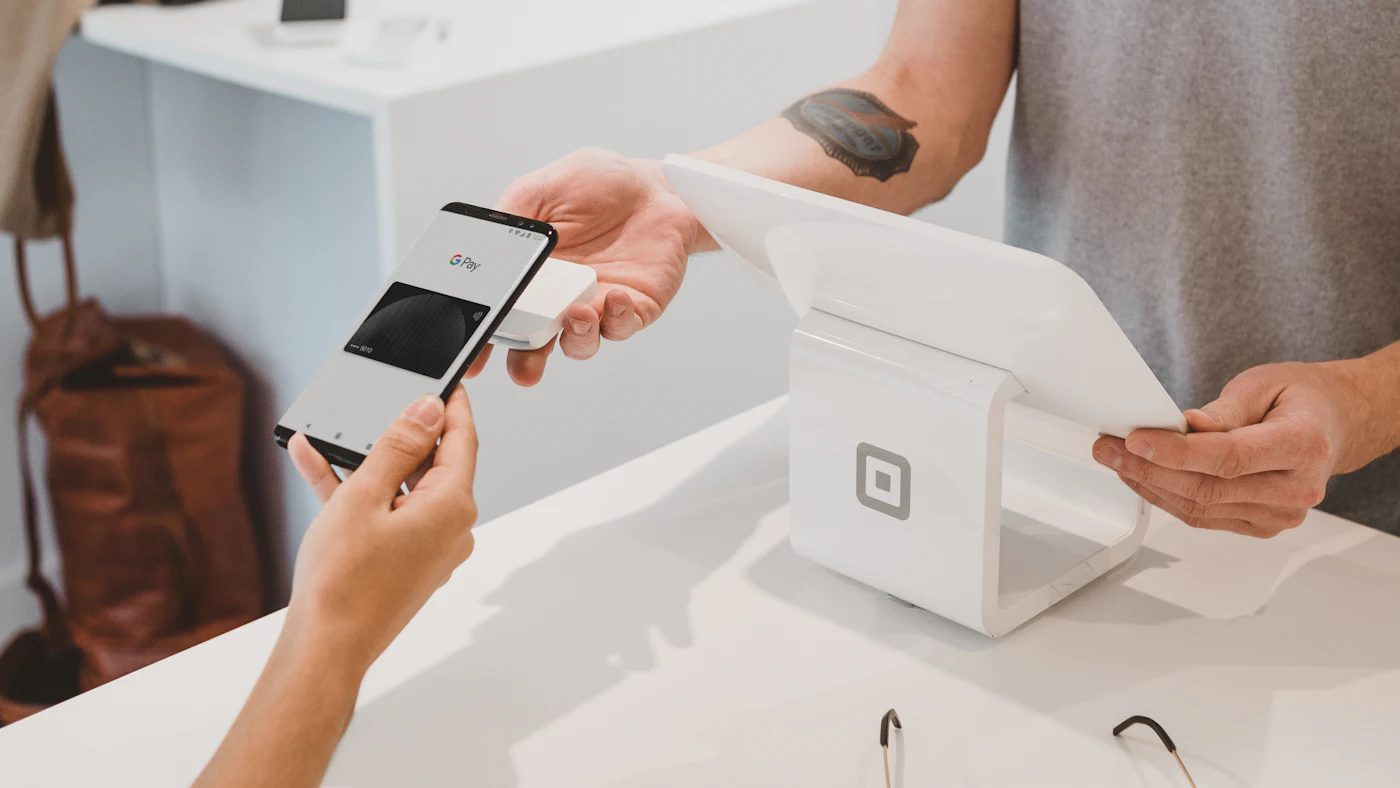
If you ask for a deposit, connect the booking system to a payment provider so the booking is confirmed automatically as soon as funds are received. A booking awaiting payment should hold the time only briefly, then release it if unpaid, so the slot is not held hostage.
Write the cancellation policy clearly and show it before the customer pays: until when a cancellation still gets a full refund, when the deposit is forfeited, and what happens if the customer is late. A policy known from the start rarely causes disputes. Align its content with the consumer protection rules that apply to you.
Make sure deposits are recorded correctly in the books. A deposit is money held on trust until the service is delivered, and must be deducted from the final bill at the till. A booking system not connected to the till often leads staff to forget to deduct it, or to deduct it twice.
Schedule changes and waiting lists
Schedules always change. A customer wants a different time, a staff member is ill, or the previous service overruns. A good system makes changes easy without creating chaos. Let customers move their own booking within limits you set, so that not every change has to go through an admin.
When it is the business that has to change the schedule, for instance because a staff member is unavailable, the system needs to help find every affected appointment and notify the customers with a choice of replacement times. Contacting twenty customers one by one on a busy morning is a recipe for mistakes.
A waiting list turns cancellations into opportunities. Customers who want a time that is already full can sign up, and when someone cancels they are notified automatically. Peak slots left empty by a last minute cancellation can often be refilled without any staff involvement.
Knowing customers through their visit history
Every booking adds to the record of a customer: the service chosen, the preferred staff member, how often they come, and special notes such as allergies or preferences. When stored tidily, staff can greet the customer with that knowledge, and the customer feels recognised even when served by a different person.
This history also makes rebooking reminders possible. Services that naturally recur, such as periodic treatments or routine servicing, can be prompted when the time comes. Reminders like these feel like help rather than promotion, provided the customer has agreed to receive them.
Because this data is personal, and in fields such as health highly sensitive, handle it with care. Collect only what is needed, limit who may see it, and comply with the personal data protection rules that apply to you. For health services, also check the sector specific rules with an adviser who knows that field.
The link with the till, ERP, and calendars
Booking is not an island. When the customer arrives, the appointment turns into a transaction at the till. If the two systems are connected, staff simply open the appointment and complete the payment, with the deposit already accounted for. If they are not, data is typed twice and the sales report per service becomes inaccurate.
The link with employee data is useful too. Work rosters and leave recorded in the HR system can directly affect availability, and the number of services each staff member performs can form the basis for commission. Without that link, commission is calculated by hand from records that are often disputed.
Many staff also rely on the personal calendar on their phone. Syncing with that calendar prevents clashes with other commitments, but set it up carefully so that customer details do not spread to places they should not be.
Website, app, or third party
There are several places to put the booking door. A booking page on your own website is the foundation that is almost always needed, because it can be linked from a social media profile, maps, and messages. A mobile app makes sense if your customers book repeatedly and you want to offer a more personal experience with notifications and quick rebooking.
Third party booking platforms can bring new customers, but usually take a commission and hold the customer relationship. Many businesses use both: the platform to be found by new people, their own channel for returning customers. If you use several doors, make sure all of them sync to one calendar.
To choose between an off the shelf service and a custom built system, look at how complex your rules are. An off the shelf service is enough for common rules. A custom system becomes worthwhile when your availability rules are unusual, when you need close ties with the till and other systems, or when booking is the core of your brand experience.
Measures worth watching
- Schedule occupancy per day, per hour, and per staff member
- The share of appointments that are no shows or cancelled at short notice
- The share of bookings made online compared with phone or chat
- The gap between when a booking is made and the time of service
- The share of customers who rebook within a reasonable period
- The hours and days that are always empty or always full
These figures guide real decisions. Hours that are always empty can be offered at a different price or used for another service. Hours that are always full may signal the need for more staff. One staff member always full while others are slack points to the need for better allocation or extra training.
Common mistakes to avoid
- Running two appointment books so that double bookings are inevitable
- Offering times without allowing for service duration and gaps
- Requiring an account before customers may book
- Sending no reminders and providing no easy way to cancel
- Hiding the cancellation and deposit policy
- Not connecting booking to the till, so deposits are not recorded correctly
First steps you can start this week
- 01List every service with its real duration, including preparation and clean up time
- 02Write down working hours, days off, and the services each staff member can perform
- 03Count how many appointments were no shows in the past month from the records you have
- 04Write the cancellation and deposit policy in simple language
- 05Bring all bookings into one calendar, even if at first it is an ordinary shared calendar
Closing
A good online booking system sells your time more efficiently. Customers book at any hour without waiting for a reply, the schedule fills more tightly, no shows fall, and staff can focus on the customer in front of them. Behind it are honest availability rules, one shared calendar, timely reminders, and a link with the till and customer data.
Start by understanding what your customers are actually booking and which rules govern its availability. Once that is clear, choosing or building the tool becomes much easier, and the result shows straight away in a fuller schedule.
Want customers to be able to book your service at any time from their phone?
The AG·SORA team builds booking systems for websites and mobile apps with availability rules that fit your business, deposits, automatic reminders, and a direct link to the till. The initial consultation is free and without obligation.
Free consultationRecommended for you
Reading related to this topic
Online Store Checkout: Reducing Carts Customers Abandon
Customers choose items but leave at payment. The five most common checkout barriers, their practical fixes, how to win customers back, and a prelaunch checklist.
Passkeys and Passwordless Sign In: Safer and Easier for Business Websites and Apps
Passwords hurt both security and sales. How passkeys work in simple terms, their benefits and limits, other options, account recovery, a staged rollout for customers and employees, and technical points to discuss with your developer.
Push Notifications and Retention: Getting Mobile App Users to Come Back
Many apps are downloaded and then forgotten. How to use push notifications, segmentation, and in app messages so users return without feeling pestered, and how to measure the results.
Free checklist: choosing a software house
24 points to evaluate a vendor before you sign. Can be saved as a PDF.
Ready to build a system that grows with your business?
Discuss your needs with the AG·SORA team, no cost, no commitment.