Website and Mobile App Analytics for Business Decisions: Measuring What Matters While Respecting Privacy
In this article
- Summary
- Start from questions, not tools
- A tracking plan: the dictionary for your data
- Metrics worth watching
- Funnels and flows: finding the leaks
- Data quality: the basis of everything else
- Privacy and user consent
- Dashboards that are read, not displayed
- Testing changes with experiments
- Choosing tools to fit the need
- Common mistakes to avoid
- First steps you can start this week
- Closing
After a website or app is launched, the most frequent question is: is it working? A satisfying answer seldom comes from feeling or from the number of messages received. A trustworthy answer comes from data about how people actually use your product: where they come from, what they do, where they stop, and whether they come back.
Unfortunately, many businesses install an analytics tool and then just look at a default dashboard full of aimless numbers. Visits go up, but sales do not. App downloads are high, but users vanish after a day. Without a clear plan, the data collected does not answer business questions, and decisions still rest on guesses.
This article covers how to set up analytics for websites and mobile apps that really help decisions. We discuss starting from business questions, drawing up a tracking plan, which metrics are worth watching, funnels and retention, data quality, privacy and user consent, testing changes, and the habit of reviewing data. We use no invented figures about benchmarks; what we offer are principles and a checklist you can apply at various scales.
Summary
- Start from the business questions you want to answer, not from the tool or the amount of data that can be collected
- Draw up a written tracking plan: which events are recorded, what they mean, and who uses them
- Choose a few metrics tied directly to business goals, not dozens of impressive looking figures
- Respect privacy: collect only what is needed, ask for valid consent, and comply with the rules in force
- Make data the material for routine experiments and decisions, not a report read once
Start from questions, not tools
The most common mistake in analytics is installing the tool first and hoping insight will appear by itself. A tool only collects and displays; deciding what matters remains your job. Data without questions is like a library without a catalogue: everything is there, but nothing can be found.
Begin by writing down the business questions you want to answer. A good question is specific and tied to a decision. For example, where do our best buyers come from so the promotion budget can be directed there? At which step do customers leave the cart so improvements can be focused? Which features do loyal users use so the next development can be prioritised? When do new users stop using the app so the onboarding flow can be improved?
- 01Write down the three to five most important business questions for this quarter
- 02For each question, decide the decision that will be taken based on the answer
- 03Decide what data is needed to answer it and where it comes from
- 04Only then choose the tool and set up the tracking
This order also prevents overcollection. Every piece of data collected has a cost: development time, storage, compliance burden, and risk if it leaks. Data that answers no question should not be collected.
A tracking plan: the dictionary for your data
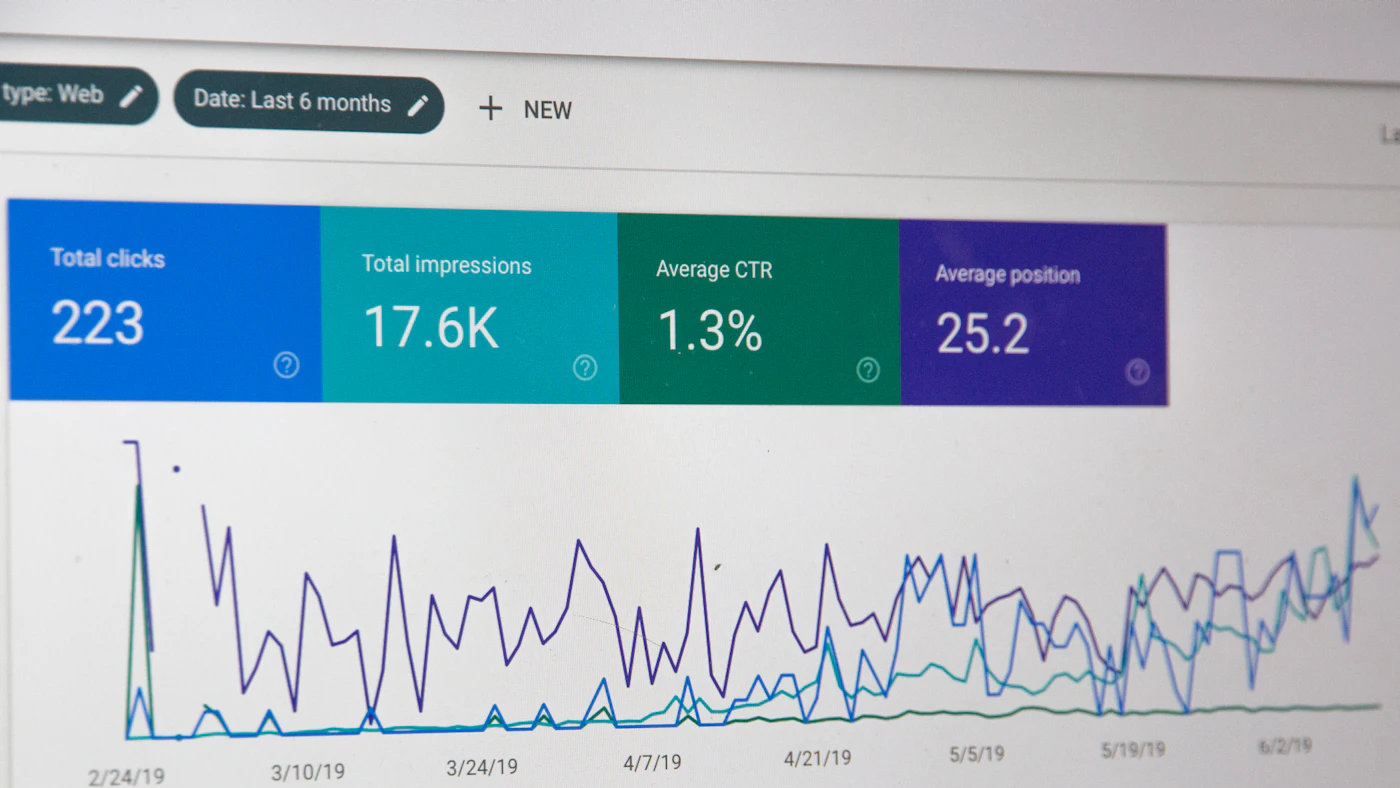
A tracking plan is a document listing every event recorded, when it is recorded, which properties accompany it, and what it is used for. It is like a dictionary that unifies the understanding of the business, design, and development teams. Without it, events are named differently by different people, meanings change between versions, and reports become hard to compare over time.
Design events around meaningful user actions, not every click. Events such as signing up, viewing a product, adding to cart, starting checkout, completing a purchase, and inviting a friend are usually more useful than hundreds of small button clicks. Give them consistent, easily understood names, for example the same pattern for all events.
- Event name: concise, uniform, and describing the action
- When it fires: a clear condition, for example after the server confirms, not when the button is pressed
- Properties: supporting information such as product category, order value, or plan type
- Identity: how users are recognised across devices and sessions, while still respecting privacy
- Owner: who is responsible for the definition and who uses the data
- Purpose: the business question this event answers
Keep the tracking plan as a living document and update it whenever features change. Involve developers from the design of a feature so tracking is part of the definition of done, not a patch after launch that is often forgotten.
Metrics worth watching
The biggest temptation is to monitor metrics that look impressive but are unrelated to business results. Visits, impressions, and downloads rise easily and are pleasant to report, but they do not guarantee revenue or satisfaction. Distinguish between comforting metrics and actionable ones.
Acquisition: where users come from
Acquisition metrics show which channels bring people to your product. More important than volume is quality: which channel brings users who perform valuable actions rather than just dropping by. Link the source of the visit to end results such as sign up or purchase so budget does not flow to channels that are busy but unproductive.
Activation: the moment a user feels the value
Activation is the point at which a new user feels the main benefit of the product, for example completing a first order, adding first data, or finishing a core task. Define the event that marks activation for your product and monitor the share of new users who reach it and how long it takes. Weak activation usually means the onboarding flow needs improvement.
Retention: do they come back
Retention measures whether users return after their first visit. For many products it is the most important health indicator, because attracting new users who keep leaking out the back door is wasted effort. Cohort analysis, comparing the behaviour of users who joined in the same period, shows whether product changes truly improve retention over time.
Revenue and value
For businesses that sell, monitor average order value, purchase frequency, and total customer value over the relationship. These metrics help judge how much is reasonable to spend acquiring a new customer. Complement them with cost and margin metrics so you do not chase revenue that actually loses money.
A good metric triggers action
If a number rises or falls and nobody knows what to do, it may be merely decoration. Choose metrics for which, when they change, the team knows the next step.
Funnels and flows: finding the leaks
A funnel depicts the sequence of steps users go through toward a goal, for example from viewing a product to paying. At each step, some users stop. By seeing at which step the biggest drop occurs, you know where improvement has the most effect. A big drop at address entry may signal a form that is too long, while a drop at payment may point to too few method choices or a surprising shipping cost.
- Define funnel steps that truly reflect the user's flow
- Compare funnels by device, channel, and user type to find differences
- Combine quantitative data with direct observation, such as session recordings or user tests, to understand why
- Prioritise fixes at steps with big drops and high user volume
- Remeasure after changes to make sure the improvement is real, not chance
Numbers show where the problem is but rarely explain why. To understand the cause, combine them with qualitative feedback: short interviews with users, reviews, questions to customer service, and watching real people try your product. The blend of the two kinds of information is what produces well aimed improvements.
Data quality: the basis of everything else
Decisions are only as good as the data. Wrong data is more dangerous than no data because it gives false confidence. Common problems include events recorded twice, events not recorded on certain devices or versions, fragmented user identities, and traffic from automated machines polluting the figures.
- Test tracking before release: make sure events appear with correct properties on all platforms
- Compare analytics figures with a source of truth, such as the number of orders in the database, and investigate big gaps
- Monitor tracking health: alerts when an important event suddenly drops drastically
- Filter traffic from automated machines and internal testing so the data is not mixed
- Record tracking changes with their dates so spikes or drops can be explained
- Beware of tracker blockers and privacy settings that leave some users uncounted
Recognise that analytics data is almost always an estimate, not a perfect count. Small differences between sources are normal. What matters is consistency: the same way of measuring over time so trends and comparisons stay meaningful, even if the absolute figures are not fully exact.
Privacy and user consent
Analytics relates directly to personal data, so privacy must be part of the design from the start. Collect only the data needed to answer business questions. Explain to users what is collected and why, in language that is easy to understand. Where required, ask for valid consent before tracking and respect users' choice to decline.
- Collect as little as possible and avoid sensitive data unless truly needed and permitted
- Avoid putting personal data, such as names or contact numbers, into event properties or page addresses
- Provide a clear privacy notice and a consent mechanism that meets the rules
- Respect users' choices and provide an easy way to withdraw consent
- Set a retention period for analytics data and delete what is no longer needed
- Limit who can access user level data and record that access
- Check the personal data protection rules currently in force, including when using analytics providers abroad
Privacy is not only a legal obligation but also a matter of trust. Users who feel excessively tracked will leave, and a data leak damages reputation for longer than the short term gain from extra data. An approach that respects privacy and still answers business questions is almost always available, for example using aggregated or anonymous data when individual identity is not needed.
Dashboards that are read, not displayed
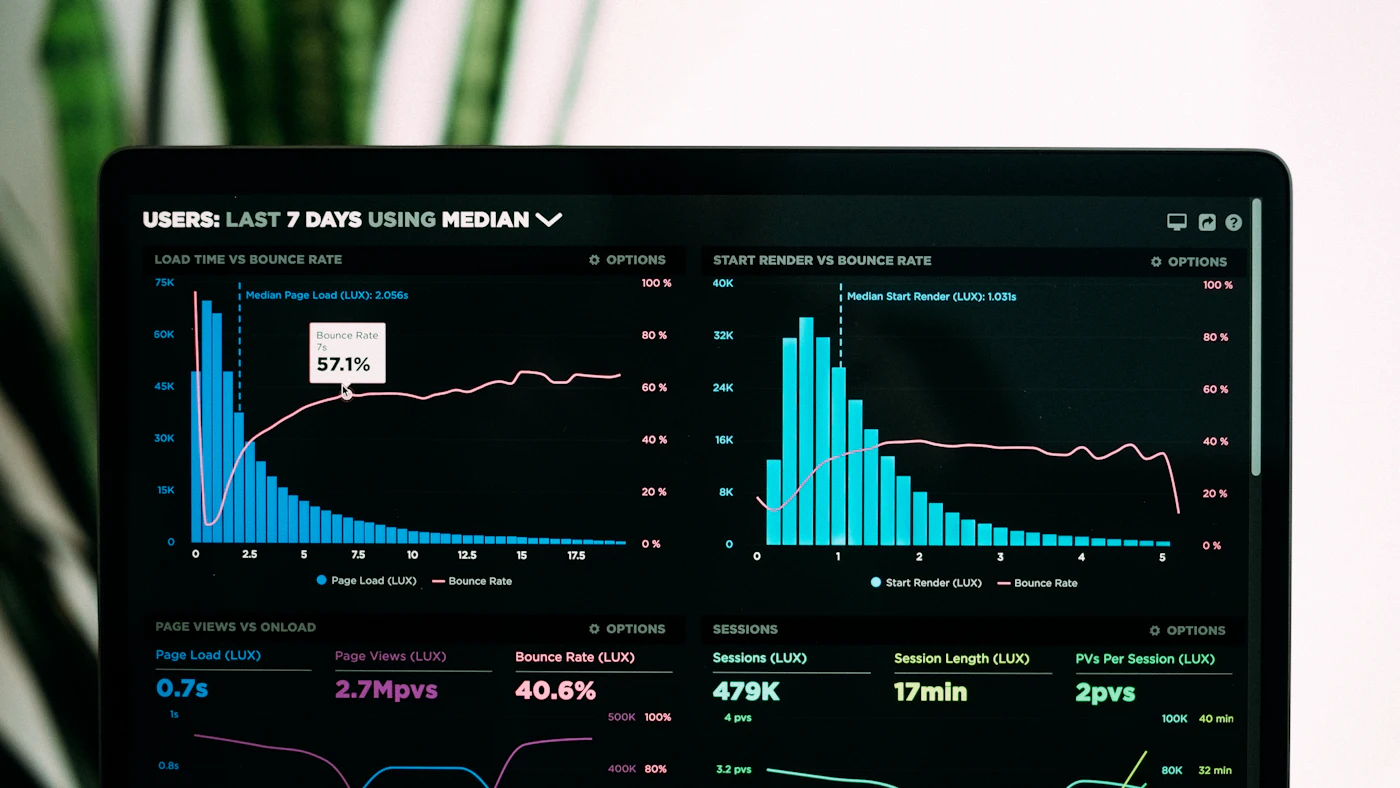
A dashboard full of charts is seldom read. An effective dashboard answers a few important questions clearly and fits its audience. A business owner needs a brief picture of revenue, new customers, and main trends. A product team needs detail on feature usage and retention. A marketing team needs channel performance and cost per result.
- Limit the number of charts and give titles that state the question answered
- Show comparison with the previous period so figures have context
- State the last update date and the definition of each metric
- Separate the executive summary from the detailed views for analysis
- Send a regular summary to those who need it rather than waiting for them to open the dashboard
- Remove charts that are never viewed or never trigger a decision
Set a review rhythm. Weekly for operational and marketing indicators, monthly for a more strategic picture, and after every major change to check its impact. Record the decisions taken from each review so data connects with real action and its results can be judged later.
Testing changes with experiments
After finding a problem, it is natural to want to fix it at once. But a change that looks good does not necessarily improve results. A controlled experiment, such as showing two versions of a page to different random groups of users, helps confirm that a change really produces improvement, not coincidence or a seasonal effect.
- 01Formulate a clear hypothesis: what change, which metric it is expected to affect, and why
- 02Decide the main metric and the success threshold before the experiment starts
- 03Split users randomly and keep the groups comparable
- 04Run it long enough and large enough that the result is not mere chance, across weekly cycles
- 05Do not peek and stop early just because interim results look good
- 06Record results, including failed experiments, so lessons are not lost
If your traffic is still small, statistical experiments may not be reliable enough. In that case, rely on qualitative observation, gradual changes with before and after measurement, and caution in drawing conclusions. Honesty about what can and cannot be concluded from the data is far more valuable than figures that look convincing.
Choosing tools to fit the need
The analytics tool market is very broad, from free and simple to complex enterprise platforms. Choose based on the questions to be answered, the team's capability, and data terms. For most small and medium businesses, one established web or product analytics tool plus direct access to your own database is adequate.
- Make sure the tool supports your platforms, web and mobile app, with consistent tracking methods
- Check where the data is stored, who owns it, and how to export it if you switch tools
- Consider the impact of tracking scripts on page speed and app size
- Assess how easily nontechnical staff can build reports themselves without always depending on developers
- Watch for costs that can grow with event volume
- Avoid installing many overlapping tools whose figures contradict one another
Do not forget the data you already have. Transaction databases, till systems, CRM, and ERP often hold more accurate answers to certain questions than behaviour tracking tools. Combining the two, for example linking visit source with real orders, gives a more complete picture.
Common mistakes to avoid
- Installing a tool with no business question and no tracking plan
- Chasing metrics that look big but are unrelated to results
- Not testing tracking so decisions are taken from wrong data
- Collecting excessive personal data without adequate notice and consent
- Drawing conclusions from a few days of data or a very small number of users
- Building beautiful dashboards that never trigger a decision
First steps you can start this week
- 01Write down the three most important business questions and the decisions that will depend on the answers
- 02List the events needed and make a one page tracking plan
- 03Test tracking end to end and compare with a source of truth, such as the number of orders
- 04Check the privacy notice and consent mechanism, and fix them if they do not yet comply
- 05Build a brief dashboard of five to seven metrics and schedule a weekly review
Closing
Good analytics is not about collecting as much data as possible but about answering the right business questions with data that can be trusted. A clear tracking plan, metrics tied to goals, data quality maintained, respect for privacy, and the habit of reviewing and testing changes make data the basis of decisions, not report decoration.
Start small with the most important question, measure honestly, and follow through. That way your website and app develop on evidence of what users truly need.
Want a website or app equipped with analytics and reporting that answer your business questions?
The AG·SORA team builds websites and apps complete with a tracking plan, clear dashboards, and responsible privacy practice. The first consultation is free and without obligation.
Free consultationRecommended for you
Reading related to this topic
A/B Testing and Conversion Optimisation for Business Websites: Deciding with Evidence, Not Taste
How to start A/B testing soundly: when it is worthwhile, framing a hypothesis, choosing the success measure, setting the duration, reading results without being fooled, technical points to guard, and visitor ethics and privacy.
Data Warehouse and Business Intelligence for Mid Sized Businesses: One Source of Truth for Decisions
Understanding data warehouses and BI for nontechnical readers: why operational system reports fall short, signs you need one, starting from business questions, figure definitions, data quality, technical options, dashboards that get used, and data culture.
Design Systems and Interface Consistency for Business Apps: From Tokens to Maintained Components
Why a consistent interface saves time for users and teams: what a design system contains, signs a product needs one, how to start without halting work, key business app components, accessibility, and upkeep.
Free checklist: choosing a software house
24 points to evaluate a vendor before you sign. Can be saved as a PDF.
Ready to build a system that grows with your business?
Discuss your needs with the AG·SORA team, no cost, no commitment.