Technical SEO for Business Websites: Crawl Budget, Server Log Analysis, and Indexing Problems
In this article
- Summary
- How search engines work: three stages you should tell apart
- What crawl budget is and when it matters
- The most common sources of waste
- First tool: Google Search Console
- Second tool: server log analysis
- Controlling what may and may not be crawled
- Internal links: the priority signal you control best
- JavaScript and rendering
- A 30-day audit plan for mid-sized businesses
- Common mistakes
- Frequently asked questions
- Conclusion
Many business website owners write good content and polish their titles, yet still wonder why important pages take so long to show up on Google, or why hundreds of pages sit in "discovered but not indexed". The cause is often not the quality of the writing but the technical layer: how search engines find, download, and decide to store your pages. This field is called technical SEO, and three of its concepts are the most commonly misunderstood: crawl budget, server log analysis, and index status.
This article explains all three in plain language for business owners and marketing teams, with an audit plan that is realistic to follow. We do not promise any specific ranking jump, because rankings depend on many factors. What we can say is this: when search engines can reach the right pages easily, your good content gets a fair chance to be evaluated.
Summary
- Crawl budget is the number of pages a search engine is willing and able to visit on your site in a given period; it matters mainly for large or frequently changing sites
- Small sites with a few dozen or a few hundred pages rarely run short of crawl budget; their problems are usually quality, duplication, or pages that nobody links to
- Server logs show what bots actually visit, which is far more honest than assumptions
- The indexing report in Google Search Console tells you why a page is not indexed
- The most common sources of waste: unlimited URL parameters, product filters, internal search result pages, redirect chains, and error pages
- The best technical fixes are usually simple: a clean sitemap, consistent canonicals, clear internal links, and a fast server
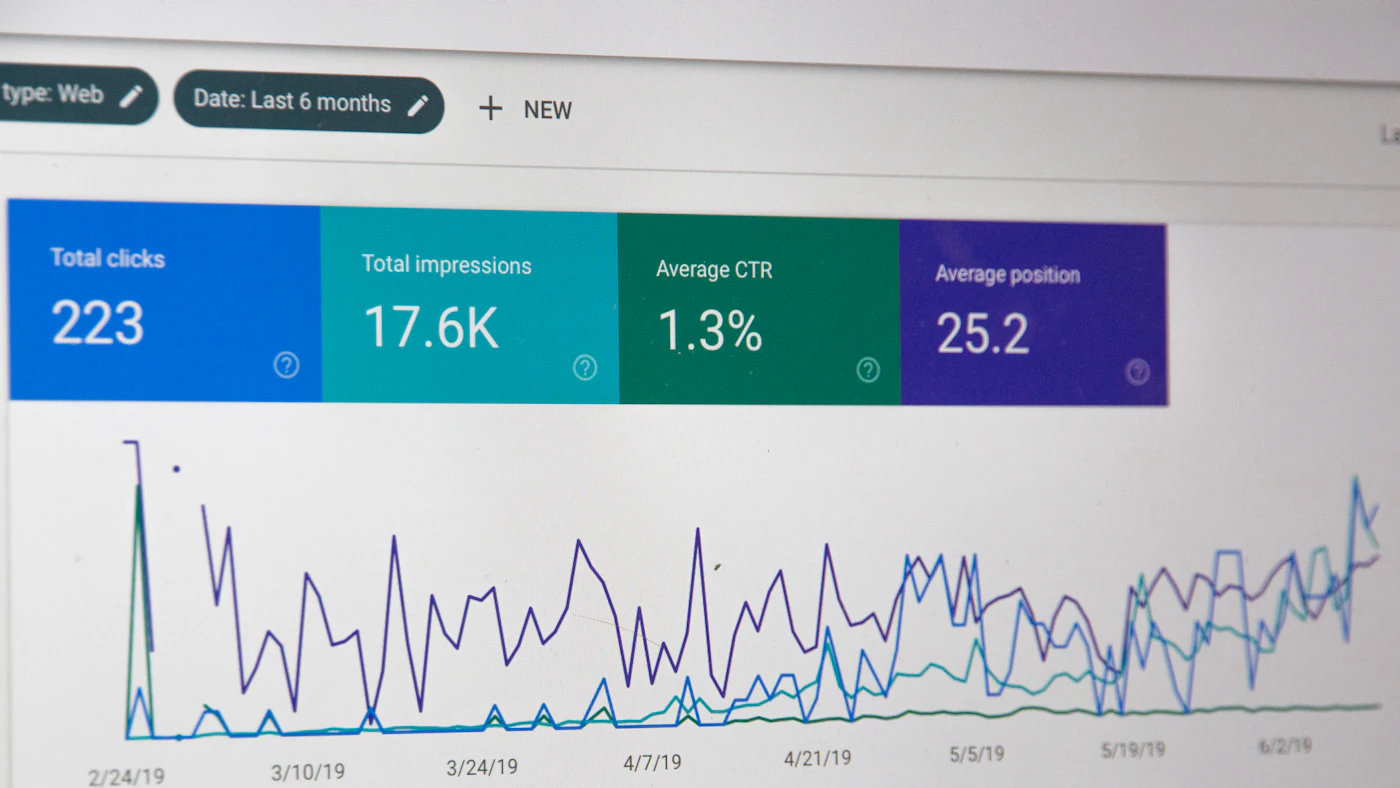
How search engines work: three stages you should tell apart
Before a page can appear in search results, it passes through three different stages. Many mistakes come from mixing them up.
- **Crawling**: the search engine bot downloads your page. If the bot never finds the URL or is not allowed to access it, the page never enters the later stages
- **Indexing**: the search engine reads the page, judges whether it deserves to be stored, and saves it in the index. Not every crawled page gets indexed
- **Ranking**: from the indexed pages, the search engine picks the most relevant ones for a query
Businesses often jump straight to stage three when the problem sits in stage one or two. A page that is not indexed cannot rank, no matter how good the writing is. That is why a technical SEO audit always starts with the first two stages.
What crawl budget is and when it matters
Crawl budget combines two things. First, the crawl rate limit: how fast the bot may request pages without overloading your server. Second, crawl demand: how much the search engine wants to visit your pages, influenced by popularity, freshness, and quality. Google's own guidance says the topic mainly applies to very large sites or sites whose content changes very quickly, not to typical small business sites.
So, honestly: if your company profile site has 40 pages, chasing "crawl budget optimization" is the wrong focus. A better investment is making sure every important page has unique content, a clear title, and internal links. Crawl budget becomes a real issue in cases like these:
- Online stores with tens of thousands of products, variants, and filter combinations
- Large news portals or blogs with years of archives
- Marketplaces or directories with pages generated automatically from a database
- Sites that recently migrated and now produce many redirected legacy URLs
- Web apps that accidentally expose many unique URLs, such as session parameters or endless calendars
On sites like these, bots can spend their visits on useless URLs while new product pages wait for days. That is what wasted crawl budget looks like in practice.
The most common sources of waste
1. URL parameters and faceted navigation
Filters for color, size, price, and sorting can generate thousands of URL combinations with nearly identical content. The full discussion is in online store SEO: faceted navigation, category pages, and duplicate content. The core idea: decide which combinations have search value and deserve indexing, and handle the rest with canonicals, noindex, or limited linking.
2. Internal search result pages
Every word a visitor types into the site search box can create a new URL. If bots can discover those URLs, there is an unlimited number of them and their quality is low. A common practice is to mark internal search result pages as noindex and avoid linking to them from public pages.
3. Redirect chains and loops
A single redirect is normal. A redirect chain (A to B to C to D) wastes bot visits and slows users down. After a redesign or migration, chains like this pile up easily. The guide on redesigning and migrating a website without losing SEO rankings covers how to map redirects so every old URL reaches its final destination in one hop.
4. Error pages and soft 404s
Pages that return 404 or 500 are still revisited by bots for some time. Sneakier is the soft 404: a page that looks empty or says "not found" but sends a 200 status as if everything were normal. Search engines treat it as a thin, low-quality page.
5. Thin and duplicate content
A tag page containing a single article, date-based archives, or product pages without unique descriptions add URLs without adding value. Reducing or merging such pages is often more useful than creating new ones.
6. A slow server
If the server is often slow or returns errors when bots visit, search engines lower their request rate to avoid burdening you. In other words, server speed affects how many pages get crawled. Related discussions are in caching and CDNs to speed up business websites and apps and Core Web Vitals for business websites.
First tool: Google Search Console
Search Console is free and should be installed on every business website. The three reports most useful for technical SEO:
- **Page indexing**: shows how many pages are indexed and the reasons others are not, for example "Discovered, currently not indexed", "Crawled, currently not indexed", "Page with redirect", "Duplicate without user-selected canonical", or "Blocked by robots.txt"
- **Crawl stats**: shows requests per day, server response time, and the distribution of status codes. A spike in errors or rising response time deserves suspicion
- **Sitemaps**: shows how many URLs were submitted and how many were actually indexed
Read the reasons, not just the numbers. "Discovered, not indexed" across hundreds of thin pages means a low quality or low priority signal. "Duplicate" means a canonical issue. "Blocked by robots.txt" means a rule that needs review, whether intentional or not.
Second tool: server log analysis
Search Console gives you the search engine's point of view. Server logs give you yours: every request that reaches your server, with time, URL, status code, and visitor identity (user agent). From these you can see facts that are visible nowhere else.
What you can learn from logs
- Which URLs bots visit most, and whether they are important pages or parameter junk
- Important pages that bots rarely or never visit
- What percentage of bot visits end in 404, 301, or 500
- Whether response time for bots is slower than for users
- When bots are most active, so you can avoid heavy jobs at those hours
How to examine them safely
1. Pull the last few weeks of access logs from your server or CDN; many hosting providers and CDNs offer log export
2. Filter rows by known bot user agents, such as Googlebot and Bingbot. Note that user agents can be faked, so for serious analysis verify the IP addresses through the reverse DNS lookup that search engines recommend
3. Group URLs by pattern (directory, parameter, or page type) and count visits per group
4. Compare with the list of pages you want to prioritize
5. Note the groups that absorb many visits but have low value, then design rules to reduce their exposure
If logs contain personal data such as the IP addresses of human visitors, treat them according to your data protection policy. This is discussed in personal data protection for websites and applications. For bot analysis alone, you can keep only the bot rows and delete the rest.
Controlling what may and may not be crawled
robots.txt
This file tells bots which parts they should avoid crawling. Two things are often mistaken. First, robots.txt controls crawling, not indexing: a blocked URL can still appear in the index without a description if many links point to it. Second, if you block a page, the bot cannot read the noindex tag on it. So do not block pages you want removed from the index with noindex.
Meta robots and the X-Robots-Tag header
A noindex tag on the page, or an X-Robots-Tag header for non-HTML files such as PDFs, is the right way to ask for a page not to be indexed while still letting it be crawled.
Canonical
The canonical tag states the main version among a group of similar pages. It is a hint, not an absolute command, so it must be consistent with other signals: the sitemap, internal links, and redirects. If you have different language versions, canonical and hreflang must agree, as explained in international SEO: hreflang, URL structure, and content localization.
XML sitemap
A sitemap is the list of URLs you want to communicate to search engines. The rules are simple but often broken:
- Include only URLs that return 200, are canonical, and are indexable
- Do not include redirect, error, or noindex URLs
- Use honest last-modified dates, changed only when the content really changes
- Split large sitemaps into several files and list them through a sitemap index file
Internal links: the priority signal you control best
Bots find pages by following links. A page linked from nowhere (an orphan) is hard to find even if it is in the sitemap. A page linked from the homepage and from many related articles is considered more important. In practice:
- Make sure every important page is reachable within three clicks of the homepage
- Link related articles to each other with descriptive anchor text
- Use ordinary HTML links, not only buttons that rely on JavaScript, so bots can follow them
- Remove or fix broken links regularly
Link structure also helps readers, so the benefit is double. This interconnected content approach matches the strategy in the company blog as a lead engine.
JavaScript and rendering
Sites that depend heavily on JavaScript to show content add one more layer of risk: the search engine must download, execute scripts, and only then see the final content. The process can be delayed and is not always perfect. For pages you want people to find, server-side rendering or static generation is safer because the content is already in the initial HTML. Test with the "Inspect URL" feature in Search Console to see the HTML Google sees, and make sure the title, headings, main text, and links appear there. Related architecture is covered in headless website architecture for business.
A 30-day audit plan for mid-sized businesses
Week 1: inventory
- Install and verify Search Console and Bing Webmaster Tools
- Export the lists of indexed and non-indexed pages with their reasons
- Take a sample of two to four weeks of server logs
Week 2: diagnosis
- Group URLs by pattern and count bot visits per group
- List redirect chains, soft 404s, and thin pages
- Check the consistency of canonicals, the sitemap, and internal links
Week 3: fixes
- Clean the sitemap, fix redirects, and handle problematic parameters
- Add internal links to orphaned important pages
- Merge or remove thin pages that serve no purpose
Week 4: monitoring
- Request re-indexing for the important pages you fixed
- Watch crawl stats and the index report weekly
- Document the rules you applied so they do not break at the next redesign
Technical changes take time to show. In general industry experience, the effect usually appears after several weeks, and there is no guarantee of a particular result. Measure with honest metrics: the number of important pages indexed, the ratio of bot visits to valuable pages, and the organic click trend over the same period.
Common mistakes
- Blocking the entire site through robots.txt when a staging environment is moved to production, or conversely forgetting to block staging
- Accidentally placing noindex on a template so a whole page type disappears from search results
- Relying on automated tools that give scores without understanding the business context
- Changing many things at once so the effect is hard to trace
- Adding hundreds of new articles while good old pages are still not indexed
- Hiding important content behind interactions that bots cannot perform
Frequently asked questions
Does my 100-page site need to manage crawl budget?
Usually not. Focus on content quality, internal link structure, and making sure every important page is indexed. Crawl budget only becomes a priority on large sites or those that generate many URLs automatically.
Why is my new page "discovered but not indexed"?
The search engine knows the URL but has not yet scheduled a crawl or has not judged it worth storing. Common causes: a new site with low authority, content similar to other pages, weak internal links, or a slow server. Strengthen internal links, make sure the content is unique, and be patient for a few weeks before drawing conclusions.
Does requesting indexing repeatedly help?
No. Requesting indexing once after a fix is enough, and it does not guarantee a result. Repeating the request does not speed up the process.
Should I analyze server logs myself?
For small sites, Search Console reports are often sufficient. For large sites, online stores with many filters, or after a migration, log analysis gives evidence available nowhere else and is worth doing at least once per quarter.
Does a sitemap guarantee indexing?
No. A sitemap helps discovery, it does not guarantee indexing. The final decision still depends on page quality and uniqueness.
Conclusion
Technical SEO is not magic; it is the work of tidying the road so search engines can reach your best pages without getting lost among thousands of useless URLs. Start with what is cheap and effective: read the index report, clean the sitemap, fix redirects, and strengthen internal links. If your site is large or recently migrated, add log analysis to see real bot behavior.
Agsora helps businesses build websites and online stores that are fast, well structured, and ready to be crawled, including technical SEO audits and architecture fixes. If you want to find out why important pages are not indexed, we are ready to help trace it.
Technical SEO audit for your website
Tell us your page count and the indexing problems you face. The Agsora team will help map realistic fix priorities.
Free consultationRecommended for you
Reading related to this topic
Caching and CDNs: Speeding Up Business Websites and Apps Without Adding Servers
A layered caching guide for business websites and apps: browser cache, CDN, page cache, data cache, invalidation, HTTP headers, stale-data risks, and how to measure impact.
Core Web Vitals (LCP, INP, CLS): A Practical Guide to Fixing Business Website Speed
What the three Core Web Vitals metrics mean, how to check scores in Search Console and PageSpeed Insights, causes of poor results, and the fix order with the biggest payoff.
Price Calculators and Online Estimators as Lead Magnets for B2B Websites
How to build a cost calculator or estimator on a B2B service website that produces qualified leads: choosing inputs, showing honest price ranges, when to ask for contact details, sending results to a CRM, SEO for calculator pages, and measuring the impact.
Free checklist: choosing a software house
24 points to evaluate a vendor before you sign. Can be saved as a PDF.
Ready to build a system that grows with your business?
Discuss your needs with the AG·SORA team, no cost, no commitment.