Warehouse Management for a Growing Business: From Messy Shelves to Stock You Can Trust
In this article
- Summary
- The difference between stock records and warehouse management
- Signs your warehouse already needs a better system
- The foundation: consistent locations, codes, and units
- The basic flow: receive, store, pick, ship
- The role of barcodes and scanning devices
- Counting stock without stopping operations
- Expiry, lots, and the order of dispatch
- Returns, damaged goods, and a quarantine area
- Integration with the online store, till, and finance
- Choosing a suitable system level
- Measuring warehouse performance with simple indicators
- Safety and the comfort of warehouse staff
- A transition plan that keeps operations running
- The costs and benefits to count
- Common mistakes to avoid
- First steps you can start this week
- Closing
In the early stage, a warehouse is often just a room or a shelf behind the shop. The owner knows where everything is, and stock can be counted by eye. As sales grow, the room fills up, the number of item types increases, and there is no longer one person who holds it all in their head.
The symptoms are easy to recognise: orders are late because items cannot be found, stock in the system differs from what is on the shelf, goods pile up in unseen corners, and new employees need a long time to learn where things are. All of it consumes time and money without showing up in the profit and loss statement.
This article covers when a business needs to move from ordinary stock records to a warehouse management system, what it manages, and how to introduce it in stages. We claim no particular efficiency figures; the focus is on understanding the problem, choosing a suitable level of system, and avoiding unnecessary complexity.
Summary
- Correct stock starts with the habit of recording every movement of goods when it happens
- Location numbering and a tidy layout often give more benefit than sophisticated software
- Scan barcodes at receiving, put away, picking, and shipping to reduce errors
- Count stock on a rolling basis and investigate differences to find the root cause
- Choose the system level to fit your warehouse's complexity, not the trend
The difference between stock records and warehouse management
Stock records answer the question: how many items do we have? A warehouse management system answers more detailed questions: where exactly is the item, in what condition, which order does it belong to, and what should warehouse staff do next. The difference lies in location and in workflow.
In a small warehouse with few item types, recording stock in the sales system or ERP is adequate. In a warehouse with many storage locations, many item types, expiry dates, lot numbers, or orders that must be picked and packed quickly, the need for location and task management begins to appear.
It is important to understand that warehouse management is not only software. It is a combination of layout, working rules, recording habits, and aids. Software without discipline will produce tidy but wrong data; discipline without software has often already solved most problems in a still simple warehouse.
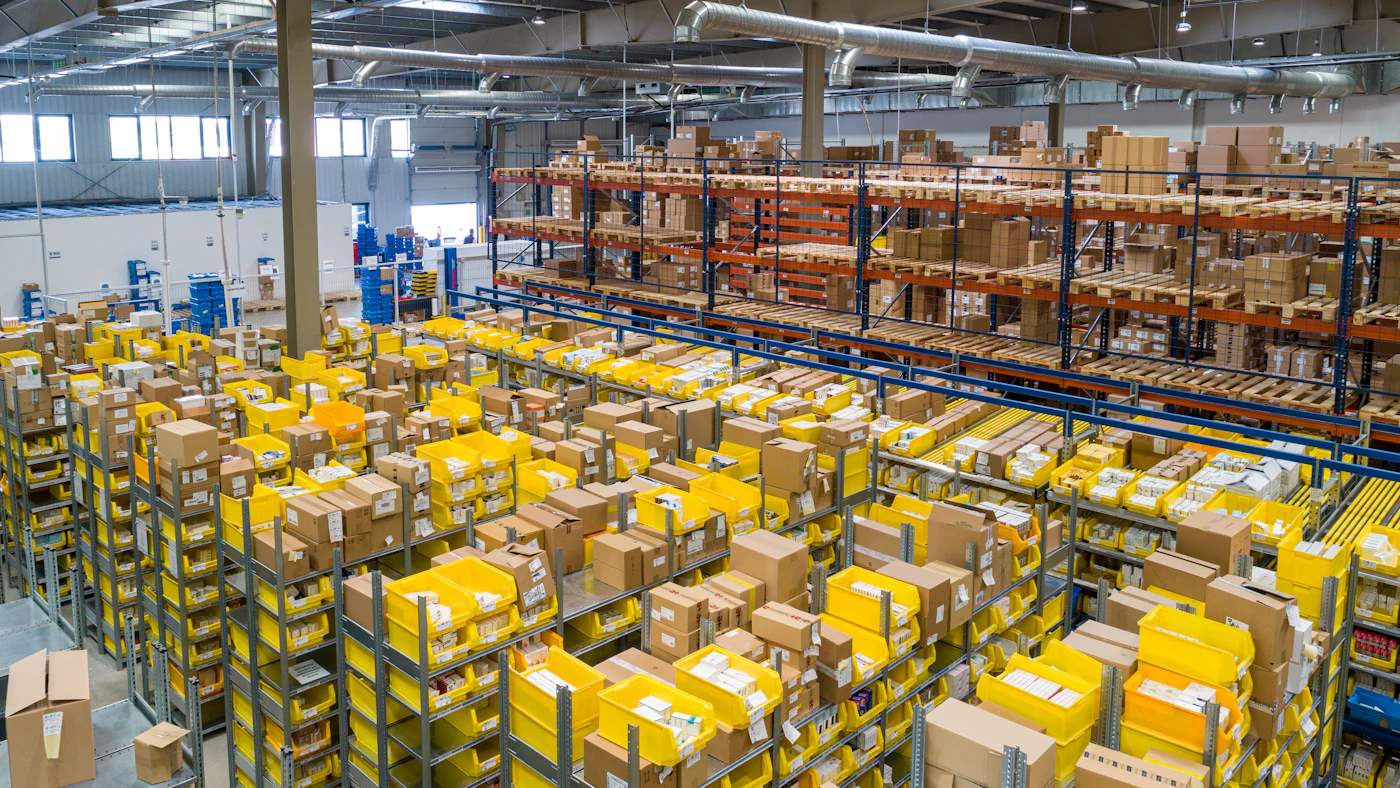
Signs your warehouse already needs a better system
- Orders are often late or wrongly shipped because items are mispicked or cannot be found
- Stock in the system often differs from physical counts
- Adding warehouse staff requires long training because item locations are not documented
- Some goods pile up and expire because their order of arrival is not tracked
- Picking takes long because the routes around the warehouse are disorganised
- Returned and damaged goods get mixed with sellable stock
One or two signs do not necessarily mean you must buy a new system. Often improving the layout and rules already helps a great deal. But if most of the signs are present and the business keeps growing, manual improvements will reach their limit.
The foundation: consistent locations, codes, and units
Before thinking about software, tidy the basics. Give every storage location a unique, easily read code, for example by area, aisle, rack, and level. Put up clear labels so anyone, including new staff, can find a location without asking.
Make sure every item has a single code, a clear unit, and an unambiguous description. The same item recorded under two codes is the beginning of stock differences. Also set the base unit and its conversion rules, for example one carton contains twelve pieces, so receiving and sales use the same measure.
Design the layout around movement. Items that are picked often should be placed near the packing area and at a height that is easy to reach, while slow moving items can be placed farther away or higher. A layout that follows movement cuts the distance staff walk every day.
The basic flow: receive, store, pick, ship
Goods receipt is the first point of truth for stock. Arriving goods are checked against the purchase order and delivery note, counted, inspected for condition, then recorded before being stored. Goods received without being recorded today will become a difference that is hard to trace next month.
Put away means recording the location where goods are placed. In a simple system, scanning the location code and the item code is enough. The system then knows that a certain item is in a certain location, so picking can be directed accurately.
Picking and packing turn an order into a parcel. A pick list sorted by location reduces walking distance, and scanning while picking ensures the right item is taken. A check before packing catches errors before the parcel leaves the warehouse, which is far cheaper than dealing with them after it reaches the customer.
Record when it happens, not at the end of the day
Recording done at the end of the day depends on memory and is prone to omissions. Recording done as goods move, for example by scanner or tablet, produces data that truly reflects the current state of the warehouse.
The role of barcodes and scanning devices
Barcodes turn recording from typing into scanning. Scanning is faster and far less error prone than typing an item code. The device used can be a dedicated scanner, a phone, or a tablet with a camera, depending on your warehouse's volume and conditions.
Use barcodes at three main points: receiving, picking, and shipping. Where possible, give storage locations codes too. That way, the system can verify that the right item is taken from the right location, and warn if there is a mismatch.
Consider real conditions: network signal inside the warehouse, cleanliness and humidity, and device battery life. A warehouse with weak signal needs devices that can work temporarily without a network and synchronise data later.
Counting stock without stopping operations
A big count that stops the whole warehouse for a day or two is costly and seldom produces genuinely clean figures. The alternative is rolling counts: a small portion of locations or items is counted every day or week, with high value and fast moving items counted more often.
Every difference is a clue. Rather than just correcting the figure, investigate the cause: a misscan, misplaced goods, a receiving error, or loss. Patterns that repeat at certain locations or with certain people point to process improvement, not mere correction.
Record every stock adjustment with its reason and who approved it. Adjustments without records are a loophole for misuse and also erase the chance to learn from mistakes.

Expiry, lots, and the order of dispatch
For goods with a shelf life, such as food, cosmetics, or medicines, recording lot numbers and expiry dates becomes important. Goods that expire earlier must go out first. Without recording, this rule depends only on memory and placement habits.
A system can direct picking by the nearest expiry date and warn about goods nearing the limit. This reduces the destruction of goods that could have been sold earlier, for example with a promotion or by diverting to another channel.
Lots matter for traceability, too. If there is a complaint or a product recall, you need to know which customers received a certain lot. Tidy recording turns a recall from a crisis into a limited, targeted action. FEFO rules and recall readiness are covered in depth in lot, batch, and expiry date tracking with ERP.
Returns, damaged goods, and a quarantine area
Returned and damaged goods are often a source of stock chaos. If put back on the same shelf without inspection, defective goods can be shipped to customers again. Set up a separate area for goods awaiting inspection and make their status clear in the system.
Every returned item should go through a simple inspection with the result recorded: sellable, needs repair, back to supplier, or destroyed. That way the stock available for sale contains only goods that are genuinely fit.
Record the reasons for returns as well. Repeating patterns of reasons, such as wrong size or packaging damaged in shipping, are valuable information for purchasing, marketing, and packing.
Integration with the online store, till, and finance
The warehouse does not stand alone. Sales from the online store, till, and marketplaces must reduce the same stock, and goods receipt must update the inventory value in finance. If these systems are not connected, differences will appear and tracing them takes time.
Set one source of truth for stock and flow changes from there to other channels. Stock that differs between channels leads to selling goods that are actually out, cancelled orders, and disappointed customers.
Consider channel level safety stock where needed, so one busy channel does not use up all the stock also promised to another. This rule is simple but prevents many cancellations.
Choosing a suitable system level
Not every warehouse needs a full warehouse management system. There are three common levels. First, an inventory module in an ERP or till system with simple locations. Second, a warehouse module with scanning and pick lists. Third, a dedicated warehouse management system with route optimisation, wave picking, and automation.
Choose the lowest level that solves your problem now and can grow. A system that is too sophisticated burdens the team with processes it does not need, while one that is too simple is quickly outgrown. Ask prospective providers about the upgrade path.
Involve the warehouse staff in the selection. Those who will use it every day know the real constraints best, and a system they do not accept will be bypassed with shortcuts that damage the data.
Measuring warehouse performance with simple indicators
A good system gives you numbers that can be used to improve the work. Start with a few indicators: stock accuracy, meaning how often physical counts match the system; order accuracy, meaning how many parcels are shipped as ordered; and processing time, meaning the span from order received to parcel handed to the courier.
Add indicators that reflect your own problems, such as the number of returns due to wrong shipments, the percentage of items not found when picked, or the amount of goods that expired. Choose few indicators and monitor them consistently; a long list that nobody reads improves nothing.
Share results openly with the warehouse team and celebrate improvement. Numbers used to blame people make them hide mistakes, whereas numbers used for learning together make problems surface earlier.
Safety and the comfort of warehouse staff
A good layout is also about safety. Aisles that are wide enough, heavy goods on lower shelves, safe steps, and adequate lighting reduce injury risk. Injury is not only a human issue; it also halts work and raises costs.
Pay attention to the workload the system creates. Scanning that adds many steps to every task will be abandoned. Design the flow so recording feels a natural part of the work, not an extra burden to be done while chasing targets.
Give short, repeated training rather than a single one at the start. New staff, changes of flow, and updated devices need refreshing. Appoint one or two knowledgeable people as the go to contacts so small problems do not pile up into bad habits.
A transition plan that keeps operations running
The switch to a new system is the most delicate moment. Plan it outside the busiest period, prepare clean master data before the switch day, and do an accurate opening stock count. Wrong opening data will carry into all the work afterwards.
Start with a limited area or group of items as a pilot, then expand once the flow has proven itself. Run the old and new systems side by side for a short time if possible, so you can compare results and catch errors before they have a big impact.
Provide extra support in the first weeks. Small problems such as unreadable labels or devices losing signal will appear, and a quick response determines whether the team accepts or rejects the new system.
The costs and benefits to count
The cost of a warehouse system is not only the software. There are scanning devices, labels and printers, shelf tidying, training, and team time during the transition. Record everything so the comparison with benefits is honest, and do not forget maintenance cost once the system is running.
The benefits are usually spread across many places and need careful counting: fewer wrong shipments and returns, fewer expired or lost goods, shorter picking time, and lighter working capital because stock is more accurate. Use your own data as the basis, not figures from a brochure.
Common mistakes to avoid
- Buying a sophisticated system before the layout and item naming are tidied
- Recording goods movements at the end of the day or the end of the week
- Mixing returned and damaged goods with sellable stock
- Correcting stock differences without investigating the cause
- Not involving warehouse staff in design and training
- Letting stock differ between sales channels and the warehouse
First steps you can start this week
- 01Draw a simple warehouse floor plan and give each storage location a code
- 02Mark the fastest moving items and move them near the packing area
- 03Set a rule that every receipt and shipment is recorded as it happens
- 04Start rolling counts for the ten items with the greatest value
- 05Set up a separate area and status for returned and damaged goods
Closing
A well ordered warehouse makes the whole business calmer: orders go out on time, stock can be trusted, and purchasing can be planned with data. A messy warehouse, conversely, seeps into sales, customer service, and finance.
Start from the basics: clear locations, consistent codes, and the habit of recording as things happen. Add scanning and more sophisticated systems as you grow. Disciplined gradual improvement almost always beats a big rushed project.
Is the warehouse getting fuller and stock harder to trust?
The AG·SORA team implements ERP and warehouse modules with storage locations, barcode scanning, rolling counts, and integration to the online store and till. The initial consultation is free and without obligation.
Free consultationRecommended for you
Reading related to this topic
Asset Management and Equipment Maintenance with ERP: From Asset Register to Replacement Decisions
How to manage assets and equipment maintenance in a structured way: the master asset list, scheduled maintenance versus repairs, links to finance and depreciation, critical asset priorities, and how to involve technicians.
Supplier Management and Vendor Evaluation with ERP: From Tidy Data to Controlled Purchasing
How to manage suppliers in a structured way: single master data, a procurement flow with segregation of duties, three way matching, contracts and prices, performance evaluation with simple indicators, and dependency risk management.
Inventory Planning and Reordering: When to Order and How Much
Too little stock disappoints customers; too much ties up capital. The concepts of safety stock and reorder point, grouping items, and the role of ERP in running it all.
Free checklist: choosing a software house
24 points to evaluate a vendor before you sign. Can be saved as a PDF.
Ready to build a system that grows with your business?
Discuss your needs with the AG·SORA team, no cost, no commitment.