Lot, Batch, and Expiry Date Tracking with ERP: From FEFO to Product Recalls
In this article
- Summary
- Lots, batches, and serial numbers: what is the difference
- Why lot tracking matters
- Two way traceability
- FIFO, FEFO, and picking rules
- Lot tracking in production
- Barcodes and scanning: the key to accuracy
- Recall readiness
- Steps to implement lot tracking
- Common mistakes
- Reports worth monitoring
- Frequently asked questions
- Conclusion
For businesses in food and beverage, pharmaceuticals, cosmetics, chemicals, or certain spare parts, knowing the stock quantity is not enough. What you need to know is which lot that stock came from, when it was produced, when it expires, and which customers that lot has already been shipped to. When a quality complaint or a product recall comes up, these questions have to be answered within hours, not days of digging through invoices and warehouse notes.
This article explains how lot and batch tracking works in an ERP system, picking rules based on expiry date or FEFO, recall readiness, and practical steps to implement it all without slowing down warehouse work.
Summary
- Lot tracking links every unit of stock to its origin: supplier, production date, expiry date, and quality inspection result
- FEFO, first expired first out, reduces spoiled goods and returns compared with plain FIFO
- Good tracking works in both directions: from raw material to customer, and from customer back to supplier
- Barcode scanning at receiving, production, and shipping is the key to accurate lot data without adding to staff workload
- Test recall readiness regularly instead of waiting for a real incident
Lots, batches, and serial numbers: what is the difference
The terms lot and batch are often used interchangeably. Both refer to a group of goods produced or received under the same conditions, so they share the same characteristics, such as the same raw materials, the same production date, and the same expiry date. One lot can contain hundreds or thousands of units.
Serial numbers are different. A serial number belongs to one specific unit, such as an electronic device or a machine. Businesses selling items under warranty usually use serial numbers, while food, medicine, and consumables businesses use lots. Some companies need both for different product categories, so the system must allow the tracking method to be set per product.
Why lot tracking matters
Less expired stock and fewer losses
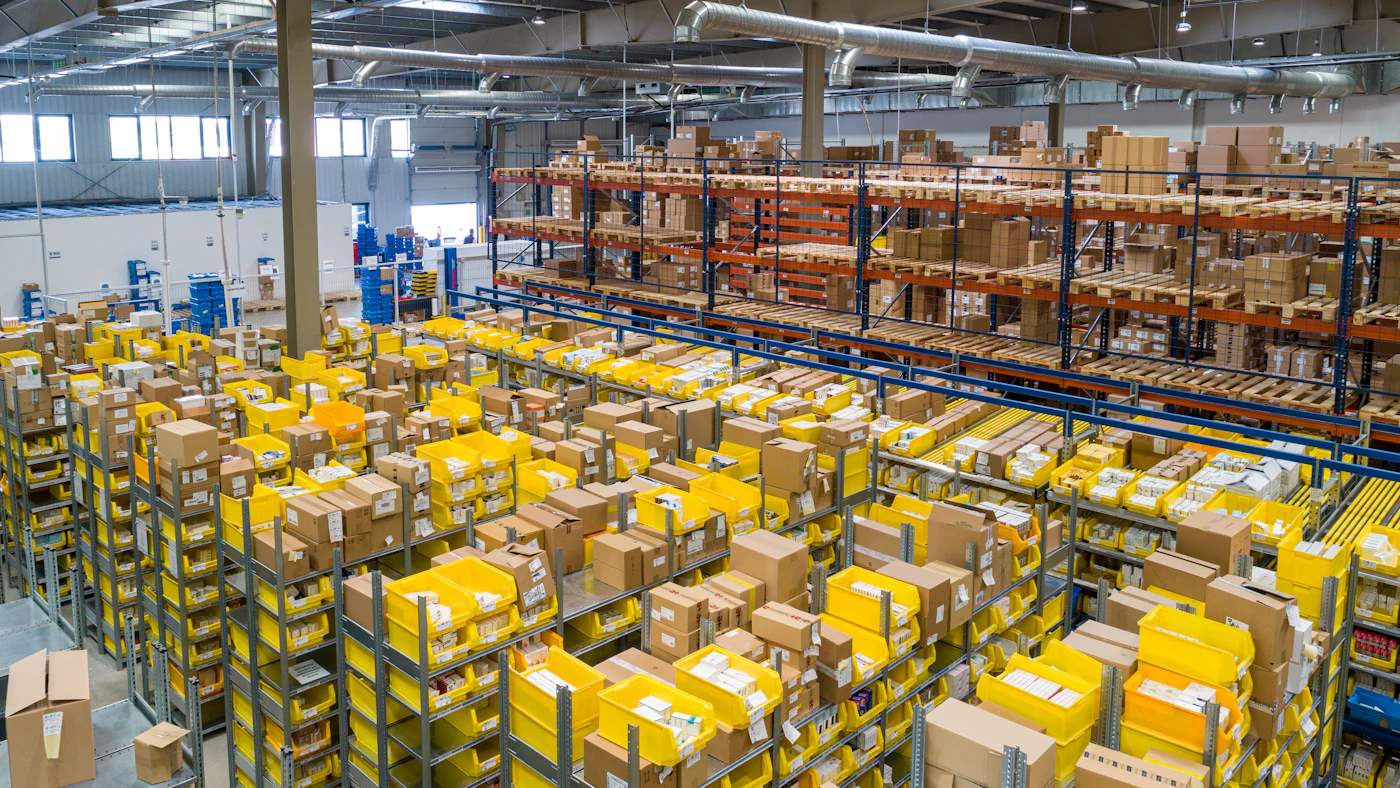
Without expiry information per lot, warehouse staff tend to pick whatever is easiest to reach. Older goods are left at the back of the rack until they pass their shelf life. With lot data in the system, the ERP can suggest or enforce which lot to pick, and warn you before items approach expiry so they can be sold sooner, promoted, or returned to the supplier where the agreement allows.
Readiness for a product recall
When a supplier reports a problem with a lot of raw material, the company needs to know which finished products used it and where those products were shipped. Without tracking, the only option left is to recall every product over a period of time, which is far more expensive and damages customer relationships. With tracking, the recall can be limited to the lots actually affected.
Regulatory compliance and customer requirements
Many sectors are governed by food, drug, and cosmetic safety rules that require traceability records. Large buyers such as modern retail chains and overseas importers also often require this capability in supplier audits. The requirements differ by country and product type and can change, so refer to the regulations and standards that apply to your products and target markets.
Two way traceability
Complete lot tracking enables two kinds of trace. A forward trace answers: which products used this raw material lot, and which customers received them. A backward trace answers the reverse: which production lot did the product in this customer complaint come from, which raw material lots did it use, from which supplier, and who inspected it.
For both directions to work, every stock movement must record the lot: receipt from the supplier, transfers between warehouses, material consumption in production, production output, shipment to customers, and returns. One gap, such as material consumption in production recorded without a lot, breaks the trace chain.
FIFO, FEFO, and picking rules
FIFO means the goods that came in first go out first. For goods without a shelf life, FIFO is sufficient. For goods with an expiry date, FEFO is more appropriate: the goods that expire first go out first, even if they were received later. This happens often when suppliers deliver lots with different remaining shelf lives.
A good system also supports additional rules. For example, a particular customer may only accept goods with a minimum number of months of shelf life remaining. Exports to certain countries may require a longer remaining shelf life. Lots awaiting quality test results must be quarantined and must not be picked. The ERP needs to apply these rules automatically when it builds the pick list, not rely on staff memory.
- Minimum remaining shelf life per customer or per sales channel
- Lot status: available, quarantined, rejected, or on hold for investigation
- Automatic alerts for lots approaching expiry
- A block on selling lots that are past their expiry date
- Recorded exceptions approved by a supervisor when a rule has to be overridden
Lot tracking in production
For manufacturers, the most critical point is production. Every work order needs to record the raw material lots consumed and their quantities, then generate a new finished goods lot. That link is what makes it possible to trace from finished goods back to raw materials. If production runs in several stages, such as mixing and then packing, each stage should also record its work in progress lot.
This is closely tied to a manufacturing production system and to product costing. With lot data, the company can also compare production cost and yield across raw material lots from different suppliers, which is useful for supplier evaluation.
Barcodes and scanning: the key to accuracy
Lot data typed in by hand is error prone. One swapped digit is enough to make a trace fail. That is why lot tracking almost always needs a barcode or QR code containing the product code, lot number, and expiry date. Many suppliers already print this information on their packaging in a standard format. If not, the warehouse can print its own labels at receiving.
Warehouse staff then scan at every transaction: receiving, put away to a rack location, picking, and shipping. A scanner app on a handheld device immediately validates whether the scanned lot matches the one the system suggested. This approach fits with a warehouse management system and with mobile apps for field teams.
Do not make staff choose the lot
If warehouse staff have to decide which lot to pick, FEFO and remaining shelf life rules are easily missed when things get busy. Let the system decide, and have staff scan to confirm. Any deviation then shows up immediately as an alert.
Recall readiness
Tracking capability is only proven when it is needed. That is why many companies run recall simulations regularly. Pick one raw material lot at random, then measure how long the team takes to list the affected finished products, the quantity still in the warehouse, and the customers who received them along with quantities. These simulations often uncover gaps, such as returns recorded without a lot or branch transfers that were missed.
- 01Identify the problem lot and set its status to on hold in every warehouse
- 02Run a forward trace to find every derived product and lot
- 03Count the affected stock still held at each location and stop it from shipping
- 04List the customers who received affected lots, with the shipping documents
- 05Communicate with customers and the authorities according to the applicable procedure
- 06Record incoming returns by lot and document the whole process for review
Steps to implement lot tracking
Implementing lot tracking touches many areas at once: purchasing, warehouse, production, sales, and quality. A gradual approach is usually safer. The foundation is clean product master data, and when the system goes live, a stock take by lot aligns physical stock with what the system records.
- 01Decide which products must be tracked by lot, which by serial number, and which only by quantity
- 02Tidy up product master data, including standard shelf life and remaining shelf life rules per customer
- 03Set the label and barcode format, and prepare scanning devices in the warehouse and production
- 04Start with goods receiving, because wrong lot data at the start carries through the whole chain
- 05Move on to picking and shipping with FEFO rules, then production
- 06Run a stock take by lot to align physical stock with the system at go live
- 07Run the first recall simulation after a few weeks of operation and fix the gaps you find
Common mistakes
- Recording the lot only at receiving, but not in production or shipping
- Allowing transactions without a lot for products that should be tracked, for the sake of speed
- Not recording the lot on customer returns, so stock gets mixed up again
- Mixing several lots in one rack location without recording by location
- Relying on a separate spreadsheet for expiry dates
- Never testing the trace capability before it is really needed
Reports worth monitoring
Once lot data is available, several reports become daily working tools. A stock age report by lot shows items approaching expiry. A monthly write off report for expired goods shows whether FEFO rules and purchase planning are working. A quarantine lot report shows goods held while waiting for a quality decision. Put these reports on an operational dashboard so follow up does not stall.
Frequently asked questions
Does a small business need lot tracking?
If your products have an expiry date or could be recalled for quality reasons, yes, at least for those products. Being small actually makes it easier to start, because transaction volumes and the number of locations are still limited.
Does lot tracking slow down warehouse work?
There is an adjustment period, but with barcodes and scanners the extra time is small. Many warehouses actually get faster because staff no longer need to hunt for older stock or check dates one by one.
Can lot tracking be added to an ERP that is already running?
Yes, as long as the inventory data structure supports it or can be extended. The important steps are to set a start date, run a stock take by lot, and then require lots on every transaction from that date.
Conclusion
Lot, batch, and expiry tracking turns stock from a mere number into information you can stand behind. The benefit shows every day in fewer expired goods, and it becomes enormous when a quality issue occurs because a recall can be limited to the lots that are actually affected.
The key is not just an ERP feature but recording discipline at every stock movement, backed by barcode scanning and rules enforced by the system. Start at receiving, enforce FEFO at picking, connect production, then test regularly.
Need lot and expiry tracking connected from warehouse to customer?
AG·SORA builds ERP and warehouse applications with lot tracking, FEFO rules, quality quarantine, and barcode scanning that fit your workflow. The first consultation is free.
Free consultationRecommended for you
Reading related to this topic
COGS and Product Cost Accounting in an ERP: Knowing Your True Margin
COGS components, inventory valuation methods, overhead allocation, standard cost and variances, and how an ERP calculates and monitors margin per product.
Asset Management and Equipment Maintenance with ERP: From Asset Register to Replacement Decisions
How to manage assets and equipment maintenance in a structured way: the master asset list, scheduled maintenance versus repairs, links to finance and depreciation, critical asset priorities, and how to involve technicians.
Supplier Management and Vendor Evaluation with ERP: From Tidy Data to Controlled Purchasing
How to manage suppliers in a structured way: single master data, a procurement flow with segregation of duties, three way matching, contracts and prices, performance evaluation with simple indicators, and dependency risk management.
Free checklist: choosing a software house
24 points to evaluate a vendor before you sign. Can be saved as a PDF.
Ready to build a system that grows with your business?
Discuss your needs with the AG·SORA team, no cost, no commitment.